
For birthdays, anniversaries and family parties
One album for every photo from the party.
Guests scan a QR code and add their photos and videos. No app, no account, easy enough for everyone at the table.
Free for 7 days. No credit card.

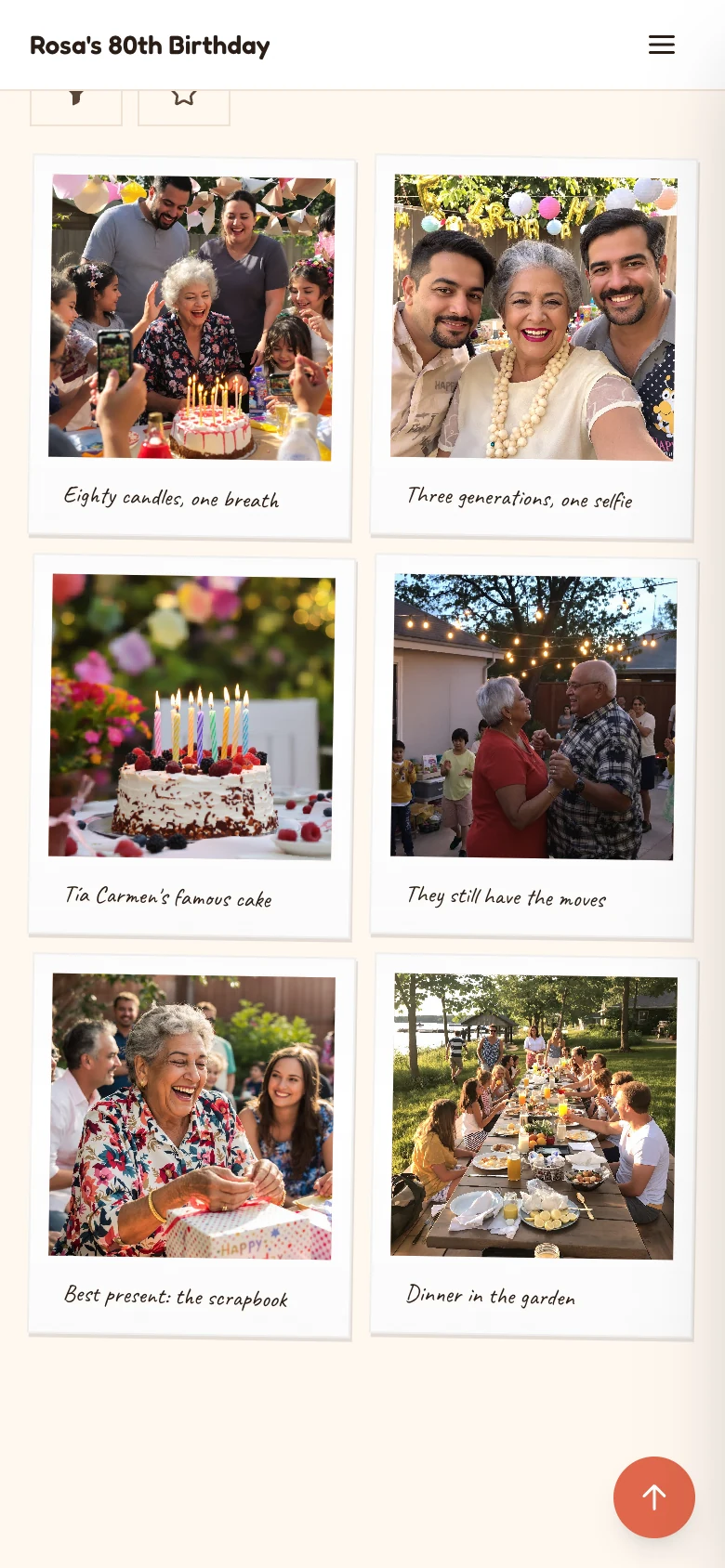
For every reason to get together
Whatever the occasion, everyone's photos end up in one album instead of scattered across phones.

Birthdays 
Anniversaries 
Graduations 
Baby showers 
Family reunions 
Holidays
Sharing
A card on the table, a link in the group chat
Guests scan the code at the party or tap the link at home. Both open the same album.
- Print the QR code for the tables, the gift table or the fridge door.
- Or start from one of our Canva templates for cards and signs.
- No printer? Send the link on WhatsApp, by text or by email.
The QR code in this photo is real. Scan it to open a demo birthday album, or open it here.
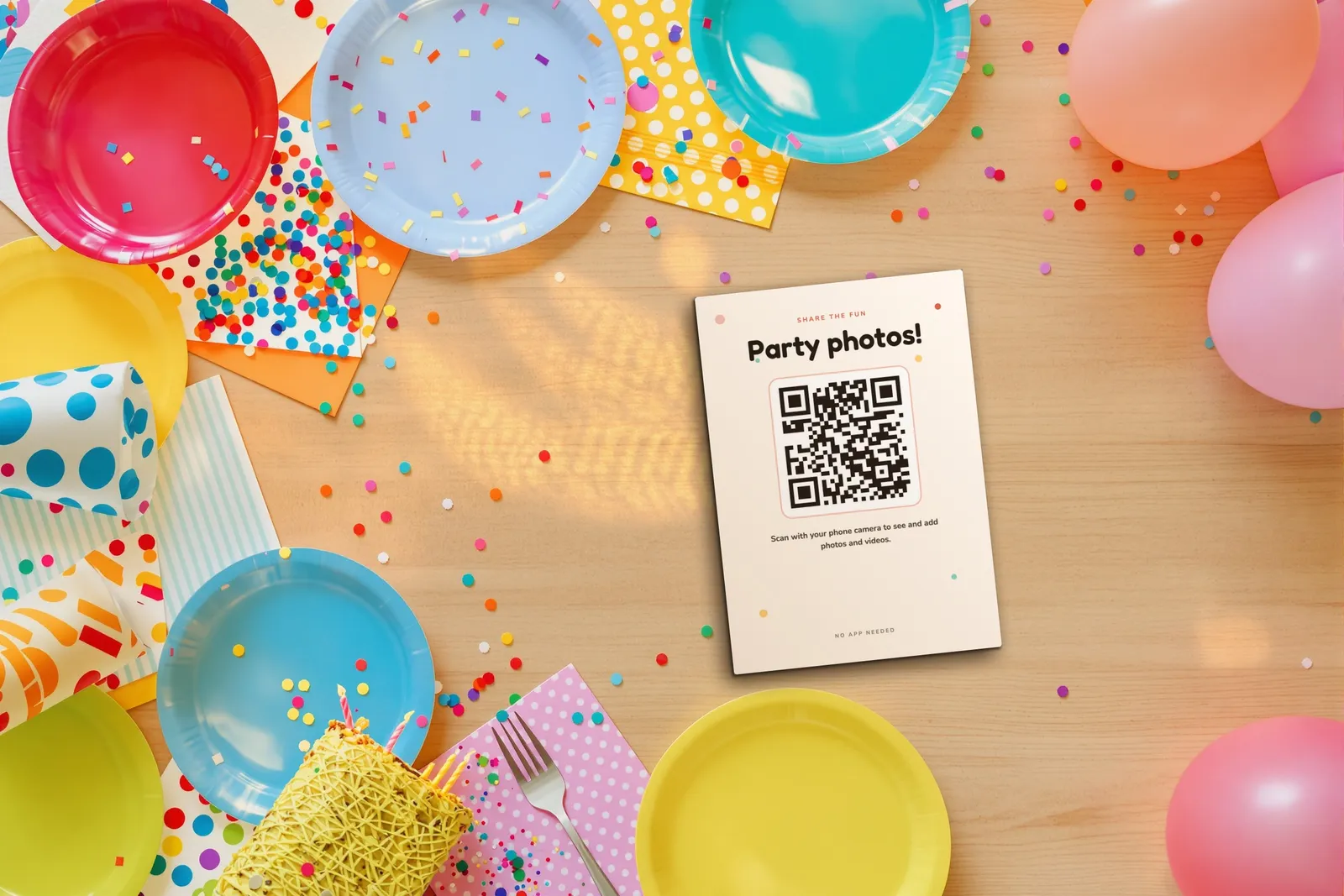
chivent.com/e/rosa-80 They're all here! Add yours too, no app needed.
Easy for every guest
No app and no account. If they can take a photo, they can add it to the album.
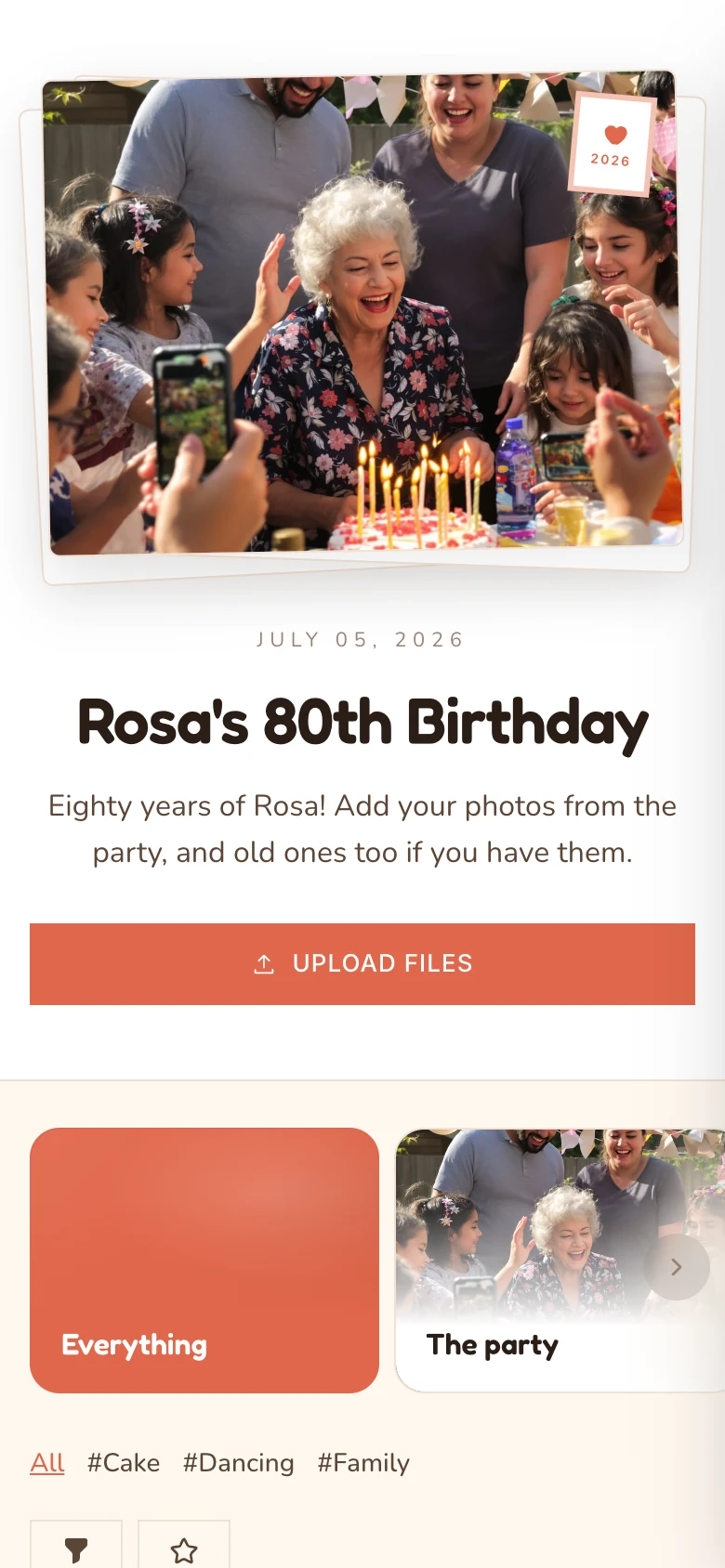 1
Scan the code
Guests point their phone camera at the QR code, or tap the link you shared.
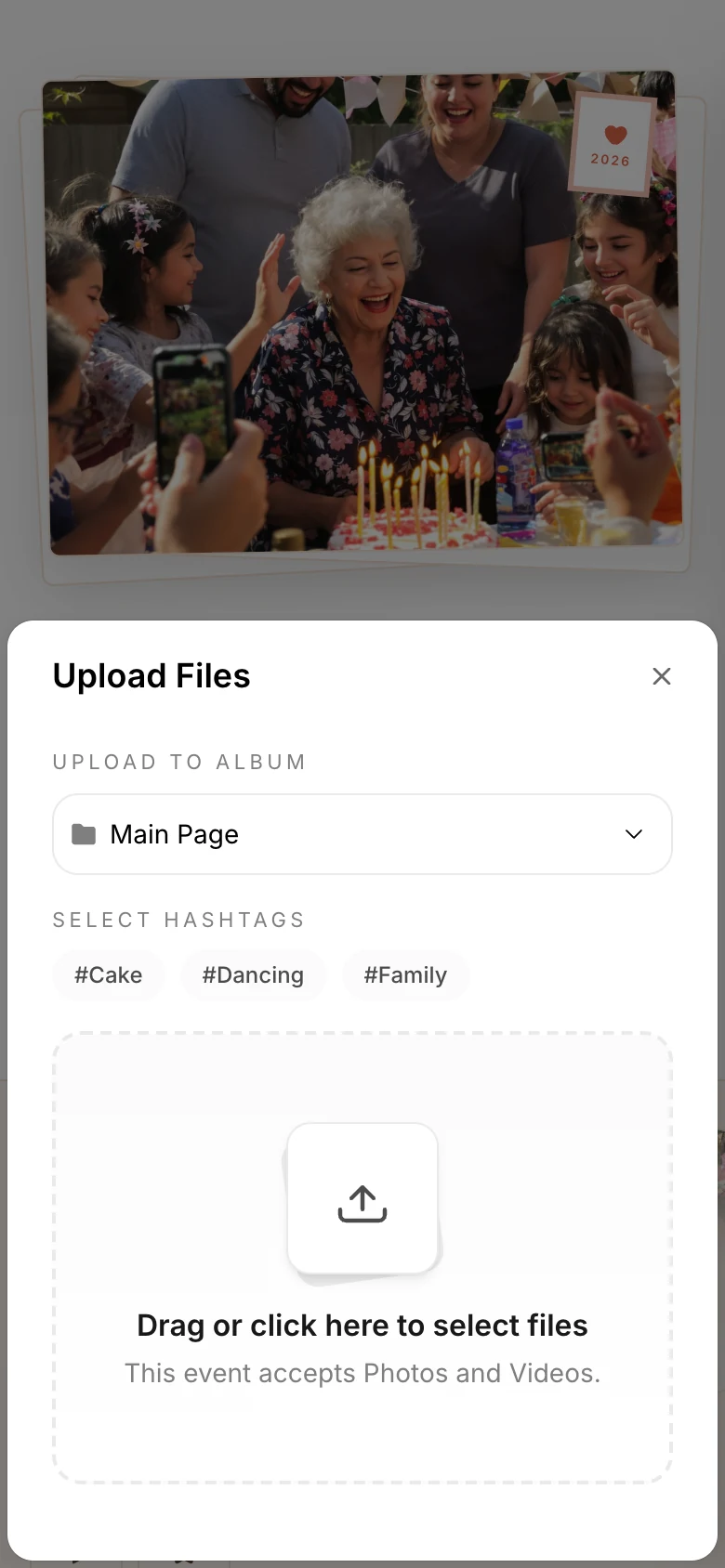 2
Add photos and videos
They pick from their camera roll, and choose an album or hashtag if they like.
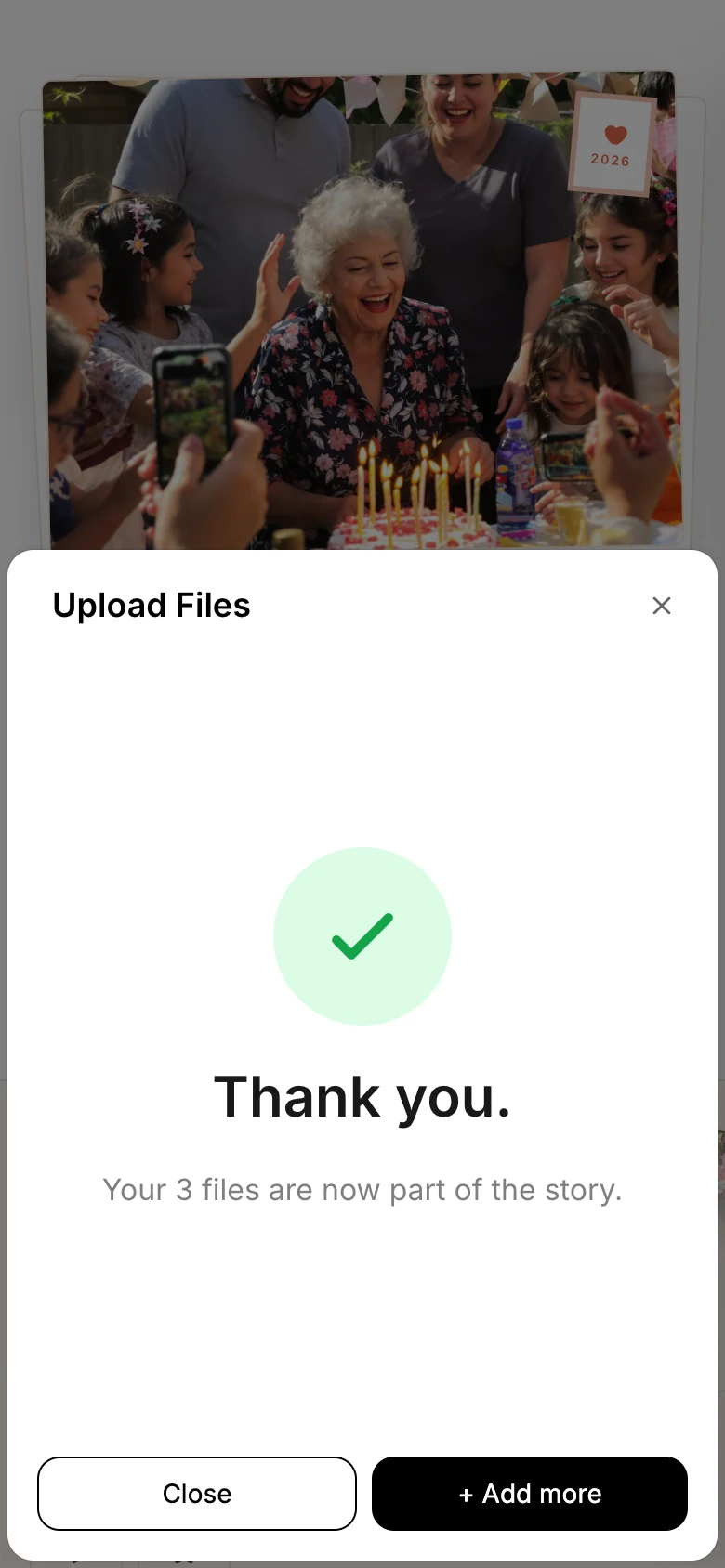 3
Done
Their photos join everyone else's, and the whole album is there to browse.
In their own language
Guest pages follow the language of each guest's phone, in 12 languages.
- English
- Deutsch
- Nederlands
- Svenska
- Français
- Italiano
- Español
- Português
- Türkçe
- עברית
- 日本語
- 한국어
Instant Frame
Photos with something to say
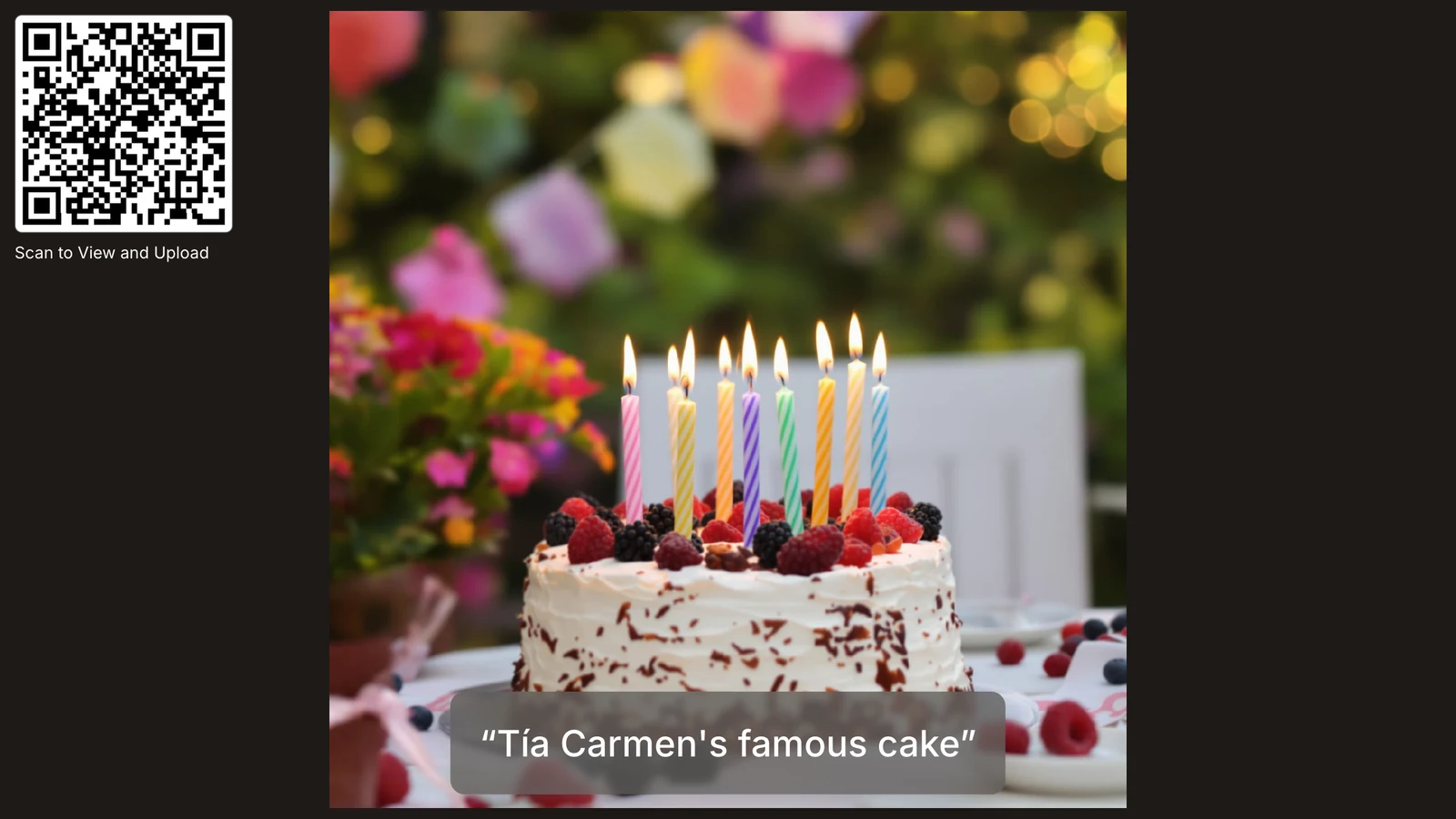
Turn on Instant Frame and the album shows every photo as a polaroid, with a caption from the guest who took it.
- A caption on every photo
- Guests can caption each photo, up to 120 characters, and edit it later. You can turn captions off anytime.
- On the photo wall too
- Captions show with each photo on the big screen.
- Photo Notes
- A digital guestbook, so guests can leave written messages in the album.
- Comments and hearts
- Guests can react to photos and leave comments, if you allow it.
At the party, and after
Photos show up on the TV while the party is on, and stay together long after.
Play it on the TV.
Open the photo wall on any screen with a browser. New photos appear as guests add them, captions included, with a QR code for anyone who arrives late.

For family who couldn't come.
Send the album link to anyone who missed the party, so they can see every photo too.
Every photo, full quality.
When the party is over, download the whole album in original quality. Downloading everything at once comes with the paid plans.
Open as long as you need.
Keep the album open from 1 to 12 months on a one-time plan, with one shared password if you want it private.
NewDigital photo book
Keep the party in a book
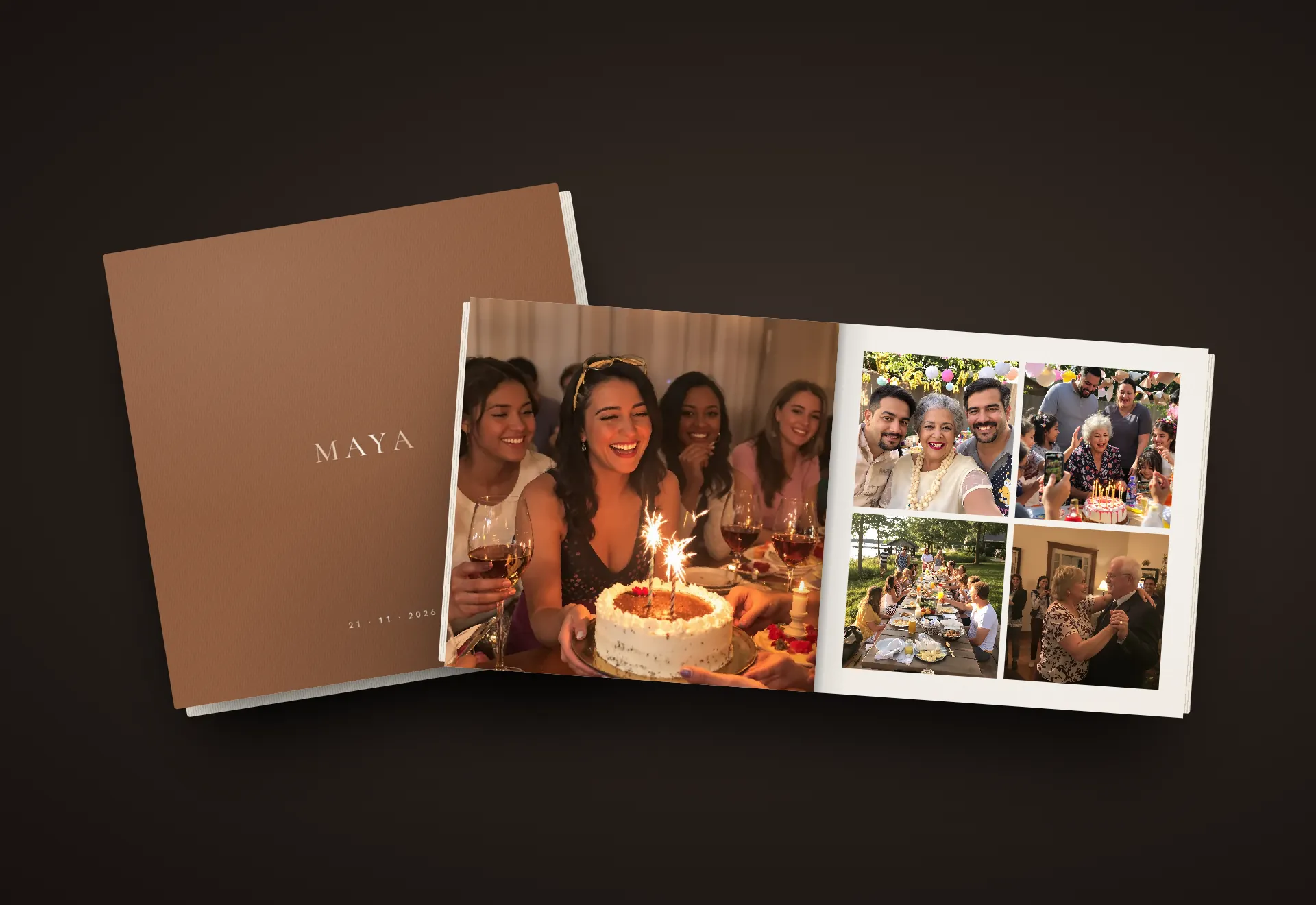
Turn everyone's photos from the party into a designed digital book. Share it the next morning, and open it again at the next birthday.
The look of leather, suede or linen
Seven designs in portrait, square or landscape. Change the design or the shape whenever you like.
Laid out from everyone's photos
Chivent picks the best photos from across the day, in the order they were taken. Then you change any page, photo or word.
Guests flip through it at a link
On a phone or a computer, behind your event's password if it has one. No app, no account. It's a digital book, not a printed one.
Ready before the guests arrive
From sign-up to a QR code on the table in four steps.
Create the album
Sign up and start your free trial. No credit card.
Make it yours
Add a cover photo, pick colors and fonts, and write a short welcome.
Share the code
Print the QR code for the tables, or post the link in the family group chat.
Keep every photo
When the party is over, download every photo and video in original quality.
Want to see one first? Open a real birthday album as a guest.
Pricing
Start free, pay once if you need more
Try it with up to 20 photos and videos. For the whole party, pay once for the event, with no subscription.
Free trial
$0for 7 days
- Up to 20 photos and videos
- Guest uploads, gallery and photo wall
- No credit card needed
Downloading everything at once needs a paid plan.
One event
from$19.00one-time
- Open for 1 to 12 months
- 100 to unlimited photos and videos
- Download everything in original quality
- Hide Chivent branding
- Up to 10 co-hosts
For example, 6 months, 500 files, 5 albums: $37.00.
Subscription
from$39.99/ month
- Unlimited events
- 50 GB or 250 GB of shared storage
- AI photo tagging and design help
- Your own event link
- Cancel anytime
Prices in US dollars. VAT is added at checkout where it applies.
Questions party hosts ask
More answers in the Help Center.
Do guests need an app or an account?
No. They scan the QR code with their phone camera or open your link, and add photos and videos right in the browser.
Can older relatives use it?
Yes. Scanning works with the regular phone camera, and there is nothing to install or sign up for. The pages follow the language of each guest's phone, in 12 languages.
Can guests add captions to their photos?
Yes. With Instant Frame, every photo shows as a polaroid with the guest's caption, up to 120 characters. You can turn captions on or off, and they also appear on the photo wall.
Can we show the photos during the party?
Yes. Open the photo wall on any TV, laptop or projector with a browser. New photos appear as guests add them, and you can show a QR code on screen so latecomers can join in.
Is the free trial enough for a small party?
The trial lasts 7 days and holds up to 20 photos and videos, with no credit card. Downloading everything at once needs a paid plan.
How long does the album stay open?
On a one-time plan you choose how long it stays open, from 1 to 12 months.
Can we keep the album private?
Yes. Add one shared password, and turn on approvals if you want to check uploads before they show. Album pages are also hidden from search engines.
Start the album before the candles are lit.
Create it for free, share the QR code, and every guest's photos land in one place.